> For the complete documentation index, see [llms.txt](https://docs.diaflow.io/llms.txt). Markdown versions of documentation pages are available by appending `.md` to page URLs; this page is available as [Markdown](https://docs.diaflow.io/workflow-builder/nodes/ai-tools.md).
# AI Tools
Leveraging AI's power for task processing, we have created AI Tool Nodes to help you easily integrate them into your Flow and use them efficiently.
## Text generation from Image
You just need to input an image, and AI will automatically analyze it into text data.
## Audio transcription (Speech-to-text)
You just need to input an audio file in WAV or MP3 format, and AI will automatically convert it to text.
## Audio Translation
Input an audio file, and AI will automatically translate it into the target language.
## Generate image with DALL-E 3
Provide a text prompt, and AI will generate a high-quality image using DALL-E 3.
## Entities extraction from text
Input text, and AI will extract key entities such as names, locations, and organizations.
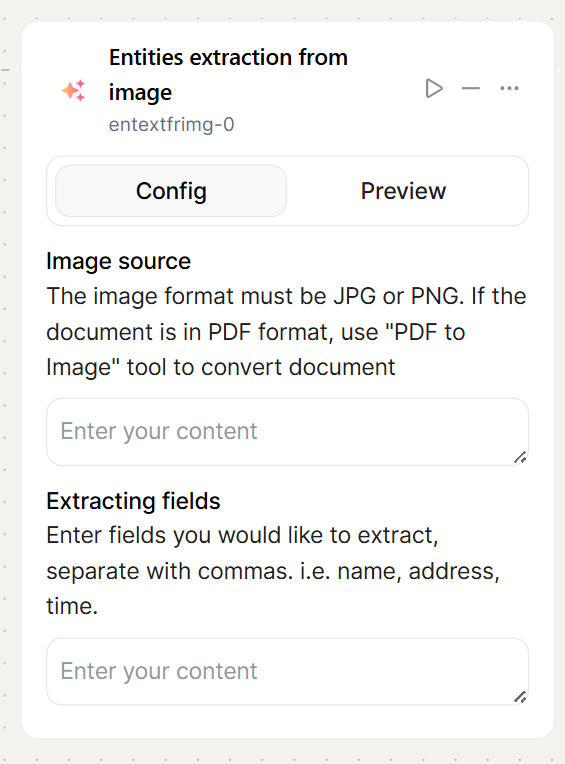
## Entities extraction from image
Provide an image, and AI will analyze and extract relevant entities from the visual content.
## Text generation from Image
Upload an image, and AI will generate descriptive text based on its content.
## Text summarization
Input a long text, and AI will generate a concise summary while preserving key information.
## Audio generation from text (Text-to-Speech)
Provide text input, and AI will convert it into natural-sounding speech.
## Data Classification
Input raw data, and AI will automatically categorize it into predefined classes based on its content.